
Download Voice Dual – AI Voice Transformation Tool for Video, Multilingual, Secure
Overview
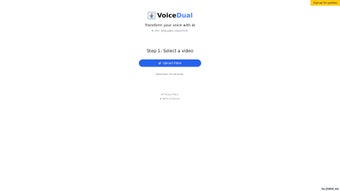
Voice Dual is a cutting‑edge, AI‑driven web application that lets you transform the voice in a short video clip into any of more than 30 supported languages. The workflow is simple: upload a video up to 30 seconds long, select the target language and tonal preferences, and let the cloud‑based AI engine rewrite the audio. Within seconds the platform delivers a new video where the original speech is replaced by a natural‑sounding voice that matches the chosen language, accent, and emotional tone.
Voice Dual was built with content creators, language learners, and casual entertainers in mind. Whether you need a quick dubbing for a TikTok sketch, a multilingual tutorial for an e‑learning course, or a fun way to hear yourself speak another language, Voice Dual offers a fast, secure, and privacy‑focused solution. All processing happens on the server, and each uploaded file is automatically deleted after 24 hours, ensuring that no personal media is stored long‑term.
The free tier adds a subtle watermark to the output, while a paid upgrade removes the watermark, provides email notifications upon successful processing, and unlocks priority queuing for faster turnaround. Because the product is fully digital, refunds are not offered, a policy clearly communicated during purchase. Voice Dual stands out for its blend of AI accuracy, multilingual reach, and a user‑friendly web interface that requires no software installation.
Key Features
- AI‑Powered Voice Replacement: Uses deep‑learning models to generate realistic speech that mimics human intonation.
- 30+ Language Support: Includes major world languages such as English, Spanish, Mandarin, Hindi, Arabic, and many regional dialects.
- Tone & Emotion Controls: Choose from friendly, formal, enthusiastic, or calm tones to match the context of your video.
- 24‑Hour Auto‑Delete Policy: Uploaded source files are permanently erased after one day, protecting user privacy.
- Web‑Based, No Installation Required: Accessible from any modern browser on Windows, macOS, Android, or iOS.
- Free Tier with Watermark: Test the service without cost; a small watermark is added to the output video.
- Paid Upgrade – Unwatermarked Output: One‑time purchase removes the watermark and adds email notifications.
- Fast Processing Queue: Paid users receive priority handling, often completing transformations in under 15 seconds.
- Download Ready: After processing, the new video can be saved directly to your device for offline use.
- Secure HTTPS Connection: All data transfers are encrypted to prevent interception.
Installation & Usage Guide
Step‑by‑Step Setup
Because Voice Dual runs entirely in the cloud, there is no traditional installation process. Follow these steps to start transforming voices:
- Open Your Browser: Launch any up‑to‑date browser (Chrome, Edge, Safari, or Firefox) on Windows, macOS, Android, or iOS.
- Navigate to the Voice Dual Site: Enter the official URL (e.g.,
https://voicedual.ai) and wait for the landing page to load over a secure HTTPS connection. - Create an Account (Optional): For free usage you can skip registration, but creating an account unlocks history tracking and priority processing for paid users.
- Upload Your Video: Click the “Upload” button, select a video file (maximum 30 seconds, MP4 or MOV format), and confirm.
- Select Language & Tone: From the dropdown menus, choose the target language and the emotional tone you desire. A preview of the voice style is available for most languages.
- Start Processing: Hit “Transform”. The AI begins analyzing the original audio, extracting phonemes, and generating the new voice track.
- Download the Result: Once processing finishes (usually under 20 seconds for free users, faster for paid), a “Download” button appears. Click to save the video to your device.
- Post‑Processing Options: If you have the paid version, you’ll receive an email with a direct download link and a confirmation that the watermark has been removed.
Troubleshooting Common Issues
Upload Fails: Ensure the video is under 30 seconds and in a supported format. Large files may exceed the server’s temporary storage limit.
Audio Mismatch: Double‑check the language and tone selections.
Some languages have multiple dialect options; picking the wrong one can produce an unexpected accent.
Processing Delays: Free tier users share processing capacity. If the queue is long, consider upgrading for priority handling.
Download Errors: Verify that your browser permits pop‑ups and file downloads from the site. Clearing cache often resolves stalled downloads.
Compatibility, Pros & Cons, FAQ & Conclusion
Supported Platforms (Operating Systems)
Voice Dual is a web‑based service, meaning it works on any device that can run a modern browser with JavaScript enabled. Officially supported operating systems include:
- Windows 10, 11 (Chrome, Edge, Firefox)
- macOS Monterey, Ventura (Safari, Chrome)
- Android 9+ (Chrome, Firefox)
- iOS 14+ (Safari, Chrome)
Pros and Cons
- Pros:
- Instant, AI‑driven voice transformation for short videos.
- Broad language coverage (30+ languages) with tone customization.
- No software download; works directly in the browser.
- Privacy‑first design – files auto‑delete after 24 hours.
- Free tier available for quick testing.
- Paid version removes watermarks and adds email notifications.
- Cons:
- Maximum video length limited to 30 seconds.
- Free tier adds a watermark, which may not be suitable for professional use.
- No refund policy, which can be a concern for first‑time buyers.
- Processing speed depends on server load; peak times may cause delays.
Frequently Asked Questions
Can I use Voice Dual on a mobile device?
Yes. The web app is fully responsive and works on Android and iOS browsers. Just visit the site, upload a short video, and follow the same steps as on a desktop.
Is my uploaded video stored permanently?
No. Voice Dual automatically deletes every uploaded file after 24 hours, ensuring that personal media does not remain on the server.
What formats are supported for upload?
MP4 and MOV are the primary supported formats. The file must not exceed 30 seconds in length.
How does the paid version differ from the free tier?
The paid upgrade removes the watermark from the output video, provides an email receipt and notification, and gives you priority processing in the queue for faster results.
Is there a refund if I’m not satisfied?
Because Voice Dual delivers a digital product that cannot be returned, refunds are not offered. The policy is clearly stated at checkout.
Conclusion & Call to Action
Voice Dual fills a niche that many creators have long awaited: a fast, browser‑based AI tool that can dub short videos into multiple languages without the hassle of installing heavyweight software. Its privacy‑first approach, extensive language library, and simple UI make it an attractive option for educators, marketers, and anyone looking to add a multilingual twist to their content. While the 30‑second limit and non‑refundable policy are worth noting, the overall value—especially with the affordable paid upgrade—outweighs these constraints for most users. Ready to give your videos a global voice? Download Voice Dual now, try the free version, and experience AI‑powered dubbing in seconds.
Voice Dual impresses with its AI accuracy and multilingual reach. The free tier is generous for quick tests, and the paid option removes watermarks without fuss. The main drawbacks are the short video limit and the strict no‑refund policy, but for creators who need rapid dubbing, it’s a solid investment.



.png)



